查询语言
QueryDSL
https://www.elastic.co/docs/reference/query-languages/querydsl
集群与节点操作
GET /_cat
// 查看集群健康状态
GET /_cat/health?v
// 查看节点
GET /_cat/nodes?v
// 查看索引
GET /_cat/indices?v
// 查看分片
GET /_cat/shards?v
模板操作
组件模板
创建模板
PUT _component_template/base_settings
{
  "template": {
    "settings": {
      "number_of_shards": "3",
      "number_of_replicas": "1",
      "refresh_interval": "1s",
      "mapping.total_fields.limit": 2000
    }
  },
  "_meta": {
    "desc": "一般索引通用 base settings",
    "version": 1
  }
}
查询模板
// 查询指定模板
GET /_component_template/base_settings
// 查询多个指定模板
GET /_component_template/template_1,template_2
// 通配符查询模板
GET /_component_template/base*
// 查询全部模板
GET /_component_template
删除模板
DELETE /_component_template/base_settings
索引模板
创建模板
PUT _index_template/base_index_template
{
  "index_patterns": [
    "base_*",
    "biz_*"
  ],
  "priority": 150,
  "composed_of": [
    "base_settings"
  ],
  "template": {
    "mappings": {
      "_meta": {
        "desc": "带创建、更新时间的通用索引模板",
        "version": 1
      },
      "properties": {
        "created_time": {
          "type": "date",
          "format": "yyyy-MM-dd HH:mm:ss||epoch_millis",
          "ignore_malformed": false
        },
        "updated_time": {
          "type": "date",
          "format": "yyyy-MM-dd HH:mm:ss||epoch_millis",
          "ignore_malformed": true
        }
      }
    }
  },
  "version": 1
}
查询模板
// 查询指定模板
GET /_index_template/base_index_template
// 查询多个指定模板
GET /_index_template/template_1,template_2
// 通配符查询模板
GET /_index_template/base*
// 查询全部模板
GET /_index_template
删除模板
DELETE /_index_template/base_index_template
模拟创建索引
POST _index_template/_simulate_index/base_test_001
索引操作
创建索引
PUT product
{
  "settings": {
    "number_of_shards": 1,
    "number_of_replicas": 1,
    "refresh_interval": "1s",
    "analysis": {
      "analyzer": {
        "ik_max_analyzer": {
          "type": "custom",
          "tokenizer": "ik_max_word"
        },
        "ik_smart_analyzer": {
          "type": "custom",
          "tokenizer": "ik_smart"
        },
        "ik_pinyin_analyzer": {
          "filter": [
            "pinyin_filter",
            "unique"
          ],
          "type": "custom",
          "tokenizer": "ik_max_word"
        },
        "ik_pinyin_search_analyzer": {
          "type": "custom",
          "tokenizer": "ik_smart"
        }
      },
      "filter": {
        "pinyin_filter": {
          "lowercase": "true",
          "keep_original": "false",
          "remove_duplicated_term": "true",
          "keep_first_letter": "true",
          "type": "pinyin",
          "keep_none_chinese": "true",
          "limit_first_letter_length": "16",
          "keep_full_pinyin": "true"
        }
      }
    }
  },
  "mappings": {
    "dynamic": "strict",
    "properties": {
      "search_text": {
        "type": "text",
        "fields": {
          "keyword": {
            "type": "keyword",
            "ignore_above": 256
          },
          "pinyin": {
            "type": "text",
            "analyzer": "ik_pinyin_analyzer",
            "search_analyzer": "ik_pinyin_search_analyzer"
          }
        },
        "analyzer": "ik_max_analyzer",
        "search_analyzer": "ik_smart_analyzer"
      },
      "sku_id": {
        "type": "long"
      },
      "title": {
        "type": "text",
        "fields": {
          "keyword": {
            "type": "keyword",
            "ignore_above": 256
          },
          "pinyin": {
            "type": "text",
            "analyzer": "ik_pinyin_analyzer",
            "search_analyzer": "ik_pinyin_search_analyzer"
          },
          "suggest": {
            "type": "completion",
            "analyzer": "ik_max_analyzer",
            "search_analyzer": "ik_smart_analyzer",
            "preserve_separators": true,
            "preserve_position_increments": true,
            "max_input_length": 50
          }
        },
        "copy_to": [
          "search_text"
        ],
        "analyzer": "ik_max_analyzer",
        "search_analyzer": "ik_smart_analyzer"
      },
      "sub_title": {
        "type": "text",
        "copy_to": [
          "search_text"
        ],
        "analyzer": "ik_max_analyzer",
        "search_analyzer": "ik_smart_analyzer"
      },
      "brand": {
        "type": "keyword",
        "copy_to": [
          "search_text"
        ]
      },
      "category": {
        "type": "keyword",
        "copy_to": [
          "search_text"
        ]
      },
      "price": {
        "type": "scaled_float",
        "scaling_factor": 100
      },
      "stock": {
        "type": "integer"
      },
      "sale_volume": {
        "type": "long"
      },
      "onsale": {
        "type": "boolean"
      },
      "tags": {
        "type": "keyword",
        "copy_to": [
          "search_text"
        ]
      },
      "color": {
        "type": "keyword"
      },
      "size": {
        "type": "keyword"
      },
      "weight": {
        "type": "float"
      },
      "dimension": {
        "type": "object",
        "properties": {
          "length": {
            "type": "float"
          },
          "width": {
            "type": "float"
          },
          "height": {
            "type": "float"
          }
        }
      },
      "images": {
        "type": "keyword"
      },
      "description": {
        "type": "text",
        "copy_to": [
          "search_text"
        ],
        "analyzer": "ik_max_analyzer",
        "search_analyzer": "ik_smart_analyzer"
      },
      "warranty_days": {
        "type": "short"
      },
      "launch_date": {
        "type": "date",
        "format": "yyyy-MM-dd"
      },
      "created_time": {
        "type": "date",
        "format": "yyyy-MM-dd HH:mm:ss||epoch_millis"
      },
      "updated_time": {
        "type": "date",
        "format": "yyyy-MM-dd HH:mm:ss||epoch_millis"
      },
      "seller": {
        "type": "object",
        "properties": {
          "seller_id": {
            "type": "long"
          },
          "seller_name": {
            "type": "keyword"
          },
          "level": {
            "type": "byte"
          },
          "score": {
            "type": "half_float"
          }
        }
      },
      "location": {
        "type": "geo_point"
      },
      "features": {
        "type": "nested",
        "properties": {
          "name": {
            "type": "keyword",
            "copy_to": [
              "search_text"
            ]
          },
          "value": {
            "type": "keyword",
            "copy_to": [
              "search_text"
            ]
          }
        }
      },
      "rate_info": {
        "type": "object",
        "properties": {
          "avg_star": {
            "type": "half_float"
          },
          "comment_count": {
            "type": "long"
          }
        }
      }
    }
  }
}
更新索引 mapping
Index 中通过 mappings 设置 Index 的结构,除创建索引时指定 mapping 外,还可以单独更新 mapping。
# 添加映射字段,删除或修改映射字段,不允许,因为索引中已有数据不会满足新的结构,需要进行数据迁移
PUT /a_index/_mapping
{
  "properties": {
    "employee_id":{
      "type": "keyword",
      "index": false
    }
  }
}
[!WARNING]
Elasticsearch 中 mappings type 用于对 index 进行逻辑分组,借用 MySQL 的概念,index 对标数据库,type 对标表,document 对标行。
由于 index 的单个分片由一个 Lucene Index 实现,故一个 Lucene Index 需要容纳多种 type,则天然存在一些问题:
PUT my_index
{
"mappings": {
"type1": {
"properties": { "value": { "type": "integer" } }
},
"type2": {
"properties": { "value": { "type": "text" } }
}
}
}
# 5.x 会成功,但后续查询 range 会返回奇怪结果;6.0+ 直接拒绝创建
- 字段二义:若不同 type 中定义同名字段,Lucene 中不会有两列同名字段而是一列存储,当两个 type 中该字段类型不一样时,会导致 Lucene Index 中该列实际会混合存储两种类型,这会导致读写操作的不可预知问题,故建议不同 type 中同名字段类型保持一致,或者不要在一个 ELasticsearch Index 中定义多种 type。
- 稀疏倒排:由于 Lucene Index 中存储所有列,不同 type 的字段差异越大,意味着某一条数据在 Lucene Index 中该数据对应 type 之外其他所有列全为空,且占比较高,这样倒排表会较稀疏,倒排表越稀疏,压缩率越低。
- 资源浪费:每个 type 单独维护 mapping、元数据,集群元数据膨胀。
https://www.elastic.co/cn/blog/moving-from-types-to-typeless-apis-in-elasticsearch-7-0
事实证明,type 带来的问题比解决的问题还多,故通过四个版本过度废弃多 type,或者说 type被强制指定为 _doc
- 5.0 开始,强制跨多个类型共享同一名称的字段具有兼容的映射。
- 6.0 开始,禁止新索引具有多个类型,并弃用了
_default_映射。- 7.0 弃用了接受类型的 API,引入了新的无类型 API,并移除了对
_default_映射的支持。- 8.0 完全移除接受类型的 API。
删除索引
DELETE product
文档操作
版本号机制
| 版本 | 版本号方案 | 乐观锁 |
|---|---|---|
| <6.0 | 只有_version |
使用_version作为乐观锁 |
| 6.0-6.4 | _version和_primary_term / _seq_no双体系共存 |
仍用_version作为乐观锁 |
| ≥6.5 | _version和_primary_term / _seq_no双体系共存 |
用_primary_term / _seq_no作为乐观锁 |
由于_version会产生空洞且无法定位到集群中某一次具体操作故有了_primary_term / _seq_no:
- 局部更新中,会比较文档数据实际是否发生变化,发生变化时
_version或_seq再自增。 _version分配和文档数据写入是非原子操作,故当_version发生分配成功但写失败时就会产生空洞,下次成功写入就发现跳变,而_primary_term / _seq_no中_seq_no分配和文档数据写入是原子操作,不会产生空洞。_primary_term标记主分片任期,主分片新任期,_req从头开始_version仅在主分片单一任期内自增
创建文档
PUT /product/_doc/100000000
{
  "sku_id": 100000000,
  "title": "限量小米掏耳勺(金色 256GB)【居家必备】",
  "sub_title": "小米出品,新品,限时特惠!",
  "brand": "小米",
  "category": "掏耳勺",
  "price": 194.69,
  "stock": 1984,
  "sale_volume": 427653,
  "onsale": true,
  "tags": [
    "包邮",
    "企业采购",
    "赠运费险",
    "新品",
    "12期免息"
  ],
  "color": "金色",
  "size": "256GB",
  "weight": 1.58,
  "dimension": {
    "length": 17.5,
    "width": 16.2,
    "height": 18.2
  },
  "images": [
    "https://picsum.photos/seed/1220-0/800/800.jpg",
    "https://picsum.photos/seed/1220-1/800/800.jpg",
    "https://picsum.photos/seed/1220-2/800/800.jpg"
  ],
  "description": "小米出品,必属精品。塑料认证,高清检测,品质保证,售后无忧。",
  "warranty_days": 36,
  "launch_date": "2020-03-25",
  "created_time": "2024-12-05 13:46:32",
  "updated_time": "2024-12-06 00:37:41",
  "seller": {
    "seller_id": 93389,
    "seller_name": "小米官方旗舰店",
    "level": 1,
    "score": 4.45
  },
  "location": {
    "lat": 36.099053,
    "lon": 81.031918
  },
  "features": [
    {
      "name": "刷新率",
      "value": "60Hz"
    },
    {
      "name": "屏幕尺寸",
      "value": "14英寸"
    }
  ],
  "rate_info": {
    "avg_star": 4.8,
    "comment_count": 76857
  }
}
通过脚本批量创建文档
"""
fake_product.py

批量生成并写入 product 索引

pip install elasticsearch==8.19.0 tqdm -i https://pypi.tuna.tsinghua.edu.cn/simple
ES_CA_PATH=/usr/local/elasticsearch/config/certs/http_ca.crt /home/ubuntu/py/bin/python fake_product.py
python bulk_product.py --size 1000000 --batch 4000 --workers 8
"""
import datetime
import json
import logging
import os
import random
from functools import lru_cache
from pathlib import Path
from typing import Iterable, Dict, Any

import tqdm
from elasticsearch import Elasticsearch, helpers

INDEX = "product"
logger = logging.getLogger(__name__)
logging.basicConfig(level=logging.INFO)

# ------------------------------------------------------------------
# 1. 词库(可无限扩展,越丰富数据越真实)
# ------------------------------------------------------------------
BRANDS = [
    "小米", "华为", "苹果", "三星", "OPPO", "vivo", "荣耀", "一加", "realme", "魅族",
    "戴森", "飞利浦", "索尼", "松下", "美的", "海尔", "格力", "TCL", "联想", "戴尔"
]
CATEGORY = [
    "手机", "笔记本", "平板电脑", "智能手表", "耳机", "音箱", "相机", "电视", "空调", "冰箱",
    "洗衣机", "吸尘器", "吹风机", "剃须刀", "电饭煲", "微波炉", "烤箱", "净水器", "扫地机", "台灯"
]
TAGS = [
    "爆款", "新品", "限时秒杀", "12期免息", "包邮", "赠运费险", "7天无理由", "官方旗舰店",
    "自营", "现货", "当天发", "年货节", "618", "双11", "双12", "学生价", "企业采购", "以旧换新"
]
COLORS = ["黑色", "白色", "金色", "蓝色", "红色", "绿色", "紫色", "银色", "粉色", "灰色"]
SIZES = ["64GB", "128GB", "256GB", "512GB", "1TB", "S", "M", "L", "XL", "XXL"]
FEATURE_NAME = ["屏幕尺寸", "分辨率", "刷新率", "电池容量", "重量", "材质", "摄像头", "处理器", "内存", "存储"]
FEATURE_VALUE = {
    "屏幕尺寸": ["6.1英寸", "6.7英寸", "14英寸", "15.6英寸"],
    "分辨率": ["2K", "1080P", "4K", "8K"],
    "刷新率": ["60Hz", "90Hz", "120Hz", "144Hz"],
    "电池容量": ["4000mAh", "5000mAh", "6000mAh"],
    "重量": ["180g", "200g", "1.2kg", "1.5kg"],
    "材质": ["铝合金", "不锈钢", "塑料", "玻璃", "陶瓷"],
    "摄像头": ["4800万像素", "5000万像素", "1亿像素"],
    "处理器": ["骁龙8 Gen2", "A17 Pro", "M2", "i7-13650HX"],
    "内存": ["8GB", "16GB", "32GB"],
    "存储": ["256GB", "512GB", "1TB"],
}

DESC_TEMPLATES = [
    "{}年度旗舰,全新{}处理器,{}屏幕,{}电池持久续航,{}材质机身,仅重{},手感极佳。",
    "官方正品,全国联保,支持{},赠送{},限时{},先到先得!",
    "{}出品,必属精品。{}认证,{}检测,品质保证,售后无忧。",
]


# ------------------------------------------------------------------
# 2. 生成单条文档
# ------------------------------------------------------------------
def random_geo() -> Dict[str, float]:
    """中国大致经纬度范围"""
    lat = random.uniform(18.0, 54.0)
    lon = random.uniform(73.0, 136.0)
    return {"lat": round(lat, 6), "lon": round(lon, 6)}


def random_date(start: datetime.date, end: datetime.date) -> datetime.date:
    delta = end - start
    return start + datetime.timedelta(days=random.randint(0, delta.days))


def gen_features() -> Iterable[Dict[str, str]]:
    n = random.randint(2, 5)
    names = random.sample(FEATURE_NAME, n)
    for name in names:
        yield {"name": name, "value": random.choice(FEATURE_VALUE[name])}


def gen_doc(_id: int) -> Dict[str, Any]:
    brand = random.choice(BRANDS)
    cate = random.choice(CATEGORY)
    color = random.choice(COLORS)
    size = random.choice(SIZES)
    tags = random.sample(TAGS, random.randint(2, 5))
    price = round(random.randint(999, 29999) / 100, 2)  # 9.99~299.99
    stock = random.randint(0, 9999)
    sale_volume = random.randint(0, 999999)
    onsale = random.choice([True, False])
    warranty = random.choice([0, 12, 24, 36])
    launch = random_date(datetime.date(2020, 1, 1), datetime.date(2025, 12, 31))
    created = datetime.datetime.now() - datetime.timedelta(
        seconds=random.randint(0, 86400 * 365)
    )
    updated = created + datetime.timedelta(seconds=random.randint(0, 86400))

    # 拼装标题/副标题/描述
    adj = ["全新", "正品", "爆款", "热卖", "限量", "升级"]
    scene = ["办公", "游戏", "学习", "旅行", "居家", "送礼"]
    title = f"{random.choice(adj)}{brand}{cate}({color} {size})【{random.choice(scene)}必备】"
    sub_title = f"{brand}出品,{random.choice(tags)},限时特惠!"
    description = random.choice(DESC_TEMPLATES).format(
        brand, next(gen_features().__iter__())["value"], "高清", "大", "轻薄", "180g"
    )

    seller = {
        "seller_id": random.randint(10000, 99999),
        "seller_name": f"{brand}官方旗舰店",
        "level": random.randint(1, 5),
        "score": round(random.uniform(4.0, 5.0), 2),
    }

    return {
        "_id": str(_id),
        "_index": INDEX,
        "sku_id": _id,
        "title": title,
        "sub_title": sub_title,
        "brand": brand,
        "category": cate,
        "price": price,
        "stock": stock,
        "sale_volume": sale_volume,
        "onsale": onsale,
        "tags": tags,
        "color": color,
        "size": size,
        "weight": round(random.uniform(0.1, 5.0), 2),
        "dimension": {
            "length": round(random.uniform(10, 50), 1),
            "width": round(random.uniform(5, 30), 1),
            "height": round(random.uniform(1, 20), 1),
        },
        "images": [
            f"https://picsum.photos/seed/{_id}-{i}/800/800.jpg" for i in range(3)
        ],
        "description": description,
        "warranty_days": warranty,
        "launch_date": launch.isoformat(),
        "created_time": created.strftime("%Y-%m-%d %H:%M:%S"),
        "updated_time": updated.strftime("%Y-%m-%d %H:%M:%S"),
        "seller": seller,
        "location": random_geo(),
        "features": list(gen_features()),
        "rate_info": {
            "avg_star": round(random.uniform(3.0, 5.0), 1),
            "comment_count": random.randint(0, 99999),
        },
    }


# ------------------------------------------------------------------
# 3. 初始化 ES 连接
# ------------------------------------------------------------------
@lru_cache(maxsize=1)
def build_client() -> Elasticsearch:
    hosts = [h.strip() for h in os.getenv("ES_HOSTS", "https://localhost:9200").split(",")]
    user = os.getenv("ES_USER", "elastic")
    passwd = os.getenv("ES_PASS", "elastic")
    ca_path = os.getenv("ES_CA_PATH", "http_ca.crt")
    # 构造参数
    kwargs = {"hosts": hosts, "verify_certs": bool(ca_path)}
    if ca_path:
        kwargs["ca_certs"] = ca_path
    if user and passwd:
        kwargs["basic_auth"] = (user, passwd)
    client = Elasticsearch(**kwargs)
    if not client.ping():
        raise RuntimeError("ES ping failed!")
    logger.info("ES info: %s", client.info())
    return client


def bulk_write(total: int, batch: int, workers: int):
    """
    并行 bulk 写入
    """
    client = build_client()
    if not client.indices.exists(index=INDEX):
        logger.info("Index <%s> does not exist, skip generation.", INDEX)
        return

    failed_file = Path("failed.json").open("w", encoding="utf-8")
    success, failed = 0, 0

    def on_success(*a):
        nonlocal success
        success += 1

    def on_error(e):
        nonlocal failed
        failed += 1
        failed_file.write(json.dumps(e) + "\n")

    pbar = tqdm.tqdm(total=total, unit="doc", desc="bulk")

    def doc_stream(t: int):
        for i in range(1, t + 1):
            yield gen_doc(i)

    for ok, item in helpers.parallel_bulk(
            client,
            doc_stream(total),
            chunk_size=batch,
            thread_count=workers,
            raise_on_error=False,
            raise_on_exception=False,
    ):
        pbar.update(1)
        if ok:
            on_success()
        else:
            on_error(item)
    pbar.close()
    failed_file.close()
    logger.info("Finished! success=%s, failed=%s", success, failed)


if __name__ == "__main__":
    import argparse

    ap = argparse.ArgumentParser()
    ap.add_argument("--size", type=int, default=100_000, help="总文档数")
    ap.add_argument("--batch", type=int, default=1000, help="每批 bulk 条数")
    ap.add_argument("--workers", type=int, default=8, help="parallel_bulk 并发线程数")
    args = ap.parse_args()
    bulk_write(args.size, args.batch, args.workers)
修改文档
PUT /customer/external/1?pretty
{
  "name": "Jane Doe"
}
curl -X PUT "localhost:9200/customer/external/1?pretty&pretty" -H 'Content-Type: application/json' -d'
{
  "name": "Jane Doe"
}
'
# 存在id会更改,不存在就创建


POST /customer/external/1/_update?pretty
{
  "doc": { "name": "Jane Doe", "age": 20 }
}
curl -X POST "localhost:9200/customer/external/1/_update?pretty&pretty" -H 'Content-Type: application/json' -d'
{
  "doc": { "name": "Jane Doe", "age": 20 }
}
'
# 脚本方式
POST /customer/external/1/_update?pretty
{
  "script" : "ctx._source.age += 5"
}
curl -X POST "localhost:9200/customer/external/1/_update?pretty&pretty" -H 'Content-Type: application/json' -d'
{
  "script" : "ctx._source.age += 5"
}
'
删除文档
DELETE /product/_doc/100000000
查询文档
took:Elasticsearch运行查询需要多长时间(以毫秒为单位);
timed_out :搜索请求是否超时 ;
_shards 搜索了多少碎片,并对多少碎片成功、失败或跳过进行了细分;
_max_score 找到最相关的文档的得分;
hits.total.value :找到了多少匹配的文档;
hits.sort :文档排序后的位置(比如上面查询的1,2,3…) ;
hits._score:文档的相关性评分(在使用match_all时不适用)
根据 id 查询
GET /product/_doc/100000000
基本查询
GET /product/_search
{
  "query": {
    "match_all": {}
  },
  "sort": [
    {
      "rate_info.avg_star": {
        "order": "desc"
      },
      "price": {
        "order": "asc"
      }
    }
  ],
  "from": 1000,
  // 默认最多返回 10 条数据,可通过 size 控制。
  "size": 20,
  // 投影查询
  "_source": [
    "sku_id",
    "title",
    "sub_title"
  ]
}
精确匹配
// term 单字段精确匹配
GET /product/_search
{
  "query": {
    "term": {
      "category": "净水器"
    }
  }
}
全文检索
// match 单字段全文检索
GET /product/_search
{
  "query": {
    "match": {
      "search_text": "微波炉"
    }
  }
}

// multi_match 多字段or全文检索,在多个字段中都对query进行匹配,是条件上or的操作
GET /product/_search
{
  "query": {
    "multi_match": {
      "query": "学习精品",
      "fields": ["title", "description"]
    }
  }
}
范围匹配
// range 范围查询
// lt:less than 小于
// le:less than or equal to 小于等于
// eq:equal to 等于
// ne:not equal to 不等于
// ge:greater than or equal to 大于等于
// gt:greater than 大于

// 数值范围
GET /product/_search
{
  "query": {
    "range": {
      "price": {
        "gte": 100,
        "lte": 200
      }
    }
  }
}

// 时间范围
// date 以 UTC 毫秒数(long)形式统一索引
// date 写入时若带有时区信息,则 Elasticsearch 将其转换为 UTC 然后进行索引,若不带有时区信息,则 date 以该节点 JVM 时区作为基准转换为 UTC 然后进行索引
// 特别注意:时区转换仅发生在索引数据本身,文档查询是原样返回,故若 Elasticsearch 中各个节点时区不一致,同时写入同一个不带时区的时间,则用同一个时间条件查询时各个节点的查询结果会不一样。节点 JVM 时间戳见:GET /_nodes/stats/jvm?filter_path=nodes.*.jvm.timestamp,可用 UTC 时间戳对比以计算该节点所用时区。


// now-1m 表示现在一分钟之前的时刻
// now-1h 表示现在一小时之前的时刻
// now-1d 表示现在一天之前的时刻
GET /product/_search
{
  "query": {
    "range": {
      "created_time": {
        "gte": "now-1h"
      }
    }
  }
}

// 查询 Asia/Shanghai 时区上午 8 点到 9 点的数据
GET /product/_search
{
  "query": {
    "range": {
      "created_time": {
        "gt": "2025-09-20 08:00:00",
        "lt": "2025-09-20 09:59:59",
        "time_zone": "Asia/Shanghai"
      }
    }
  }
}
正则匹配
// regexp 正则匹配
GET /product/_search
{
  "query": {
    "regexp": {
      "title": "升级.*"
    }
  },
  "_source": [
    "title"
  ]
}
与、或、非、filter
// 与或非filter编排查询条件
// must        必须满足,参与计算得分
// should      可以满足可以不满足,参与计算得分,满足得分更高
// must_not    必须不满足,不参与计算得分
// filter      数据过滤,不参与计算得分
GET /product/_search
{
  "query": {
    "bool": {
      "must": [
        {
          "match": {
            "brand": "小米"
          }
        },
        {
          "match": {
            "category": "手机"
          }
        }
      ],
      "must_not": [
        {
          "match": {
            "size": "S"
          }
        }
      ],
      "should": [
        {
          "match": {
            "description": "年度旗舰"
          }
        }
      ],
      "filter": [
        {
          "range": {
            "price": {
              "gte": 100,
              "lte": 200
            }
          }
        }
      ]
    }
  }
}
聚合查询
aggregation,聚合
嵌套聚合
https://www.elastic.co/guide/en/elasticsearch/reference/5.6/_executing_aggregations.html
GET bank/_search
{
  "query": {
    "match_all": {}
  },
  "aggs": {
    "ageAgg": {
      "terms": {
        "field": "age",
        "size": 10
      },
      "aggs": { //聚合
        "ageAvg": { //聚合名称
          "avg": { //聚合类型
            "field": "balance"
          }
        }
      }
    }
  }
}
GET bank/_search
{
  "query": {
    "match_all": {}
  },
  "aggs": {
    "ageAgg": {
      "terms": {
        "field": "age",
        "size": 10
      },
      "aggs": { //聚合
        "genderAgg": { //聚合名称
          "terms": { //聚合类型
            "field": "gender.keyword" //文本字段聚合的特殊处理
          }
        }
      }
    }
  }
}
聚合
桶聚合
terms 桶聚合
对 batch_id 进行聚合,按照 batch_id 降序排序,然后返回前 3 条数据
桶聚合本身并不支持分页,可以基于 桶排序聚合 实现受限的分页(不能通过size 和from,这是对source的分页,现在是对聚合结果——桶的分页)
 POST ds_data_change_log/_search
 {
   "size": 0,
   "query": {
     "match_all": {}
   },
   "aggs": {
     "batch_id_agg": {
       "terms": {
         "field": "batch_id",
         "order": {
           "_key": "desc"
         },
         "size": 3
       }
     }
   }
 }
 {
   "took" : 172,
   "timed_out" : false,
   "_shards" : {
     "total" : 1,
     "successful" : 1,
     "skipped" : 0,
     "failed" : 0
   },
   "hits" : {
     "total" : {
       "value" : 10000,
       "relation" : "gte"
     },
     "max_score" : null,
     "hits" : [ ]
   },
   "aggregations" : {
     "batch_id_agg" : {
       "doc_count_error_upper_bound" : 0,
       "sum_other_doc_count" : 1969937,
       "buckets" : [
         {
           "key" : 1855,
           "doc_count" : 5
         },
         {
           "key" : 1854,
           "doc_count" : 5
         },
         {
           "key" : 1853,
           "doc_count" : 28
         }
       ]
     }
   }
 }
composite 桶聚合
桶排序聚合
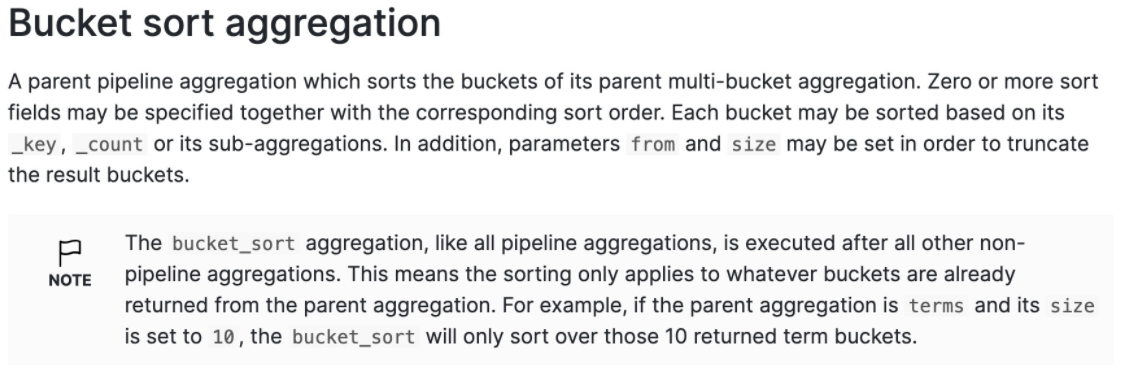
两次聚合,第一次 进行 terms 聚合,对 batch_id 聚合并 batch_id 对降序排序,返回结果的前1条数据
第二次,对第一次的结果(3个桶)进行排序,然后分页,当然还没有总数量,可以使用 cardinality aggregation
 POST ds_data_change_log/_search
 {
   "size": 0,
   "query": {
     "match_all": {}
   },
   "aggs": {
     "batch_id_agg": {
       "terms": {
         "field": "batch_id",
         "order": {
           "_key": "desc"
         },
         "size": 3
       },
       "aggs": {
         "batch_id_desc": {
           "bucket_sort": {
             "from": 0,
             "size": 5,
             "sort": []
           }
         }
       }
     }
   }
 }
 {
   "took" : 107,
   "timed_out" : false,
   "_shards" : {
     "total" : 1,
     "successful" : 1,
     "skipped" : 0,
     "failed" : 0
   },
   "hits" : {
     "total" : {
       "value" : 10000,
       "relation" : "gte"
     },
     "max_score" : null,
     "hits" : [ ]
   },
   "aggregations" : {
     "batch_id_agg" : {
       "doc_count_error_upper_bound" : 0,
       "sum_other_doc_count" : 1969937,
       "buckets" : [
         {
           "key" : 1855,
           "doc_count" : 5
         },
         {
           "key" : 1854,
           "doc_count" : 5
         },
         {
           "key" : 1853,
           "doc_count" : 28
         }
       ]
     }
   }
 }
指标聚合
cardinality aggregation
total_agg与batch_id_agg不相关,实现了一个不优雅的聚合字段的分页效果
 POST ds_data_change_log/_search
 {
   "size": 0,
   "query": {
     "match_all": {}
   },
   "aggs": {
     "batch_id_agg": {
       "terms": {
         "field": "batch_id",
         "order": {
           "_key": "desc"
         },
         "size": 3
       },
       "aggs": {
         "batch_id_desc": {
           "bucket_sort": {
             "from": 0,
             "size": 5,
             "sort": []
           }
         }
       }
     },
     "total_agg": {
       "cardinality": {
         "field": "batch_id"
       }
     }
   }
 }
 {
   "took" : 440,
   "timed_out" : false,
   "_shards" : {
     "total" : 1,
     "successful" : 1,
     "skipped" : 0,
     "failed" : 0
   },
   "hits" : {
     "total" : {
       "value" : 10000,
       "relation" : "gte"
     },
     "max_score" : null,
     "hits" : [ ]
   },
   "aggregations" : {
     "total_agg" : {
       "value" : 163
     },
     "batch_id_agg" : {
       "doc_count_error_upper_bound" : 0,
       "sum_other_doc_count" : 1969937,
       "buckets" : [
         {
           "key" : 1855,
           "doc_count" : 5
         },
         {
           "key" : 1854,
           "doc_count" : 5
         },
         {
           "key" : 1853,
           "doc_count" : 28
         }
       ]
     }
   }
 }
Top hits aggregation
composite 支持after
但search after是另一种语法
https://www.cnblogs.com/leeSmall/p/9215909.html
https://tower.im/teams/257331/repository_documents/96573/
分页
ES评分
https://juejin.cn/post/7010660177791680520
https://blog.csdn.net/u010454030/article/details/134697579
https://www.elastic.co/cn/blog/practical-bm25-part-2-the-bm25-algorithm-and-its-variables
对聚合分组的结果进行分页
 {

     "aggs": {
         "groupTicketId": {
             "terms": {
                "field": "ticketId" // 按照 ticketId 进行分组
             },
             "aggs": {

                  "page": {
                     "bucket_sort": {

                         "from": 0,
                         "size": 2
                     }
                 }
             }
         }
     }
 }
滚动查询,适用于分批获取大批量数据
 scanResp = helpers.scan(es, _body, scroll= "10m", index= _index, doc_type= _doc_type, timeout="10m")

 for resp in scanResp:
    print resp
其他es资料
https://www.cnblogs.com/hello-shf/category/1550315.html
Elasticsearch 深度分页问题
from + size
Elasticsearch 中基本分页由 from size 控制
 GET /student/student/_search
 {
   "query":{
     "match_all": {}
   },
   "from":5000,
   "size":10
 }
意味着 es 需要在各个分片上匹配排序并得到5010条数据,协调节点拿到这些数据再进行排序等处理,然后结果集中取最后10条数据返回。
我们会发现这样的深度分页将会使得效率非常低,因为我只需要查询10条数据,而es则需要执行from+size条数据然后处理后返回。
其次:es为了性能,限制了我们分页的深度,es默认的最大的 max_result_window = 10000;也就是说我们不能分页到10000条数据以上。
index.max_result_window =10000
默认情况下,结果集中最大返回10000条数据, from + size <= 10000 条件满足时查询依然可行,当超过 10000 条,查询直接会失败
scroll
在es中如果我们分页要请求大数据集或者一次请求要获取较大的数据集,scroll都是一个非常好的解决方案。
使用scroll滚动搜索,可以先搜索一批数据,然后下次再搜索一批数据,以此类推,直到搜索出全部的数据来scroll搜索会在第一次搜索的时候,保存一个当时的视图快照,之后只会基于该旧的视图快照提供数据搜索,如果这个期间数据变更,是不会让用户看到的。每次发送scroll请求,我们还需要指定一个scroll参数,指定一个时间窗口,每次搜索请求只要在这个时间窗口内能完成就可以了。
一个滚屏搜索允许我们做一个初始阶段搜索并且持续批量从Elasticsearch里拉取结果直到没有结果剩下。这有点像传统数据库里的cursors(游标)。
滚屏搜索会及时制作快照。这个快照不会包含任何在初始阶段搜索请求后对index做的修改。它通过将旧的数据文件保存在手边,所以可以保护index的样子看起来像搜索开始时的样子。这样将使得我们无法得到用户最近的更新行为。
以滚动方式查询数据,每次滚动返回2条数据,滚动窗口持续5分钟
 GET /student/student/_search?scroll=5m
 {
   "query": {
     "match_all": {}
   },
   "size": 2
 }
 {
   "_scroll_id" : "DnF1ZXJ5VGhlbkZldGNoBQAAAAAAAC0YFmllUjV1QTIyU25XMHBTck1XNHpFWUEAAAAAAAAtGRZpZVI1dUEyMlNuVzBwU3JNVzR6RVlBAAAAAAAALRsWaWVSNXVBMjJTblcwcFNyTVc0ekVZQQAAAAAAAC0aFmllUjV1QTIyU25XMHBTck1XNHpFWUEAAAAAAAAtHBZpZVI1dUEyMlNuVzBwU3JNVzR6RVlB",
   "took" : 0,
   "timed_out" : false,
   "_shards" : {
     "total" : 5,
     "successful" : 5,
     "skipped" : 0,
     "failed" : 0
   },
   "hits" : {
     "total" : 6,
     "max_score" : 1.0,
     "hits" : [
       {
         "_index" : "student",
         "_type" : "student",
         "_id" : "5",
         "_score" : 1.0,
         "_source" : {
           "name" : "fucheng",
           "age" : 23,
           "class" : "2-3"
         }
       },
       {
         "_index" : "student",
         "_type" : "student",
         "_id" : "2",
         "_score" : 1.0,
         "_source" : {
           "name" : "xiaoming",
           "age" : 25,
           "class" : "2-1"
         }
       }
     ]
   }
 }
第二次及以后使用scroll_id进行查询,当查询结果为空时说明所有满足条件的数据已经查询完毕
  GET /_search/scroll
 2 {
 3   "scroll":"5m",
 4   "scroll_id":"DnF1ZXJ5VGhlbkZldGNoBQAAAAAAAC0YFmllUjV1QTIyU25XMHBTck1XNHpFWUEAAAAAAAAtGRZpZVI1dUEyMlNuVzBwU3JNVzR6RVlBAAAAAAAALRsWaWVSNXVBMjJTblcwcFNyTVc0ekVZQQAAAAAAAC0aFmllUjV1QTIyU25XMHBTck1XNHpFWUEAAAAAAAAtHBZpZVI1dUEyMlNuVzBwU3JNVzR6RVlB"
 5 }
search_after
本质是游标分页,核心是有序的scroll_id
文档中有一个唯一性字段uid,本次查询使用上次最小的id进行查询
 GET /student/student/_search
 {
   "query":{
     "match_all": {}
   },
   "size":2,
   "search_after":[1005],
   "sort":[
     {
       "uid": "desc"
     }
   ]
 }
 GET twitter/_search
 {
     "size": 10,
     "query": {
         "match" : {
             "title" : "elasticsearch"
         }
     },
     "search_after": [1463538857, "654323"],
     "sort": [
         {"date": "asc"},
         {"_id": "desc"}
     ]
 }
| 分页方式 | 性能 | 优点 | 缺点 | 场景 |
|---|---|---|---|---|
| from + size | 低 | 灵活性好,实现简单 | 深度分页问题 | 数据量比较小,能容忍深度分页问题 |
| scroll | 中 | 解决了深度分页问题 | 无法反应数据的实时性(快照版本)维护成本高,需要维护一个 scroll_id | 海量数据的导出(比如笔者刚遇到的将es中20w的数据导入到excel)需要查询海量结果集的数据 |
| search_after | 高 | 性能最好不存在深度分页问题能够反映数据的实时变更 | 实现复杂,需要有一个全局唯一的字段连续分页的实现会比较复杂,因为每一次查询都需要上次查询的结果 | 海量数据的分页 |
elasticsearch深度分页问题
https://www.cnblogs.com/hello-shf/p/11543453.html
https://www.cnblogs.com/RainSail/p/13850693.html
批量操作
- index,创建文档或者全量更新文档
- update,局部更新文档
- delete,删除文档
单一索引操作
POST /product/_bulk
{"index": {"_id": "100000001"}}{"sku_id": 1001, "title": "Red T-shirt", "brand": "Nike", "price": 199.0, "stock": 100, "onsale": true, "seller": {"seller_id": 1, "seller_name": "Super Store"}}{"index": {"_id": "100000002"}}{"sku_id": 1002, "title": "Blue Jeans", "brand": "Levi's", "price": 299.0, "stock": 50, "features": [{"name": "color", "value": "blue"}, {"name": "size", "value": "M"}], "location": {"lat": 39.9042, "lon": 116.4074}}{"delete": {"_id": "100000001"}}{"update": {"_id": "100000002"}}{"doc": {"price": 319.0}}{"delete": {"_id": "100000002"}}
混合索引操作
POST /_bulk
{"index": {"_index": "product", "_id": "100000001"}}{"sku_id": 1001, "title": "Red T-shirt", "brand": "Nike", "price": 199.0, "stock": 100, "onsale": true, "seller": {"seller_id": 1, "seller_name": "Super Store"}}{"index": {"_index": "product", "_id": "100000002"}}{"sku_id": 1002, "title": "Blue Jeans", "brand": "Levi's", "price": 299.0, "stock": 50, "features": [{"name": "color", "value": "blue"}, {"name": "size", "value": "M"}], "location": {"lat": 39.9042, "lon": 116.4074}}{"delete": {"_index": "product", "_id": "100000001"}}{"update": {"_index": "product", "_id": "100000002"}}{"doc": {"price": 319.0}}{"delete": {"_index": "product", "_id": "100000002"}}